
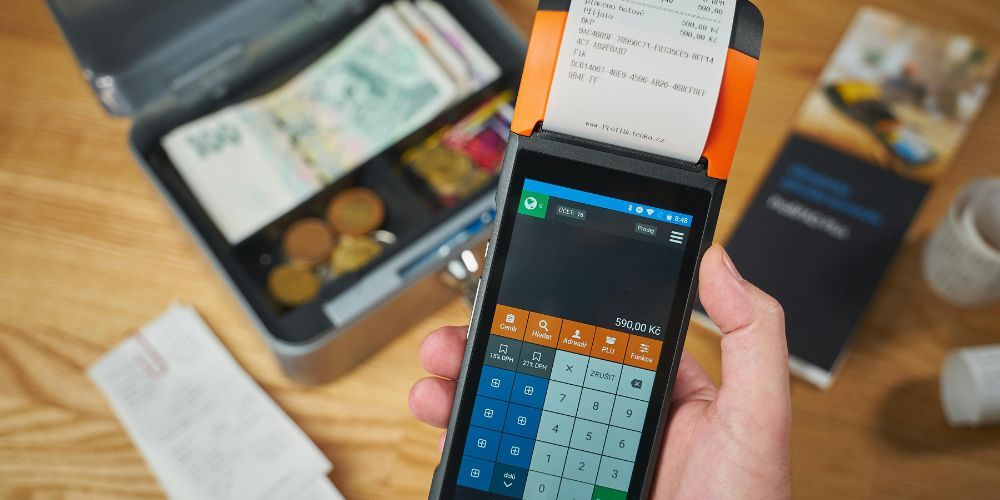
The Dejavoo Z8 is a widely used point-of-sale (POS) terminal, favored for its portability, sleek design, and user-friendly interface. Many businesses rely on it for smooth credit and debit card processing. While it offers reliable performance, like any electronic device, it can face occasional technical issues. Knowing how to troubleshoot these problems is important to keep your operations running without interruptions. This guide explains the most common issues with the Dejavoo Z8 and provides practical solutions to fix them.
Understanding the device and how it works can also help prevent future problems. The Z8 combines multiple functions, including card reading, receipt printing, and network connectivity, which means issues can occur in any of these areas. By following step-by-step solutions, users can often resolve minor glitches on their own, saving time and avoiding downtime. Whether you are a new user or have experience with POS devices, this guide will help you troubleshoot the Dejavoo Z8 effectively.
Power and Battery Issues
One of the most common problems is related to power and battery life. Some users report that the device won’t turn on, shuts down unexpectedly, or fails to hold a charge. Usually, this can be fixed by making sure the terminal is properly charged using the original charger. If the battery is completely drained, it may need to charge for a couple of hours before the device can power on. In cases where the battery no longer holds a charge, replacing it with a compatible battery is recommended. Avoid overcharging and keep the battery clean to extend its lifespan.
Network Connectivity Problems
The Dejavoo Z8 relies on both Wi-Fi and cellular networks to process transactions, so connectivity issues are common. If the device cannot connect to the network, users may see error messages or fail to process payments. Start troubleshooting by checking the Wi-Fi strength and moving the device closer to the router if needed. Restarting the router and the terminal often resolves temporary connectivity problems. For cellular connections, ensure the SIM card is properly inserted and active. Keeping the terminal updated with the latest firmware also helps prevent network issues. Correctly configuring network settings, like IP addresses and DNS, can avoid recurring problems.
Card Reading Errors
Card reading problems are another frequent challenge. The device might not read magnetic stripe or chip cards, which can cause delays at checkout. Common causes include dirty card readers, damaged cards, or software issues. Cleaning the card reader with a lint-free cloth or a cleaning card usually fixes the problem. If not, updating the terminal software or reinstalling the payment app can help. For persistent issues, professional support may be required to replace or repair the reader. Proper card handling by staff also reduces wear on both cards and the device.
Software and Performance Issues
Software glitches can cause slow performance, unresponsive screens, or crashes. Outdated firmware, incompatible apps, or corrupted files are often the reason. A soft reset can fix temporary glitches, while a firmware update or factory reset may solve more persistent issues. Before a factory reset, back up all transaction data to avoid losing important information. Keeping the terminal updated ensures smoother performance, better security, and fewer software-related problems.
Printer Problems
For businesses using printed receipts, printer issues can be frustrating. Problems like paper jams, blank receipts, or unclear printing usually occur because of incorrect paper installation, dirty printer heads, or software settings. Make sure the paper roll is installed correctly and is compatible with the terminal. Clean the printer head regularly and check printer settings in the software. If the problem persists, professional service might be needed to repair or replace the printer.
Error Codes and Troubleshooting
The Dejavoo Z8 displays error codes for different problems, which can help identify the issue quickly. Network issues, card reading problems, and software glitches all have specific codes. Referring to the error code list in the user manual helps resolve issues faster. If an unusual error code appears or persists, contacting support ensures professional guidance. Understanding these codes can save time and reduce business disruptions.
Screen and Display Issues
Sometimes the touchscreen may not respond, or the display might flicker or show distorted images. These problems can be caused by hardware defects, environmental factors, or software conflicts. A soft reset can restore responsiveness, but if the issue persists, professional inspection may be required. Avoid exposing the device to extreme temperatures and handle it carefully to prevent screen damage. Cleaning the screen with suitable materials also helps maintain its longevity.
Security and Transaction Issues
Security settings and expired certificates can sometimes prevent successful transactions. Regular updates and checking security compliance help avoid these issues. Ensuring that the terminal meets the latest security standards is crucial. If transactions fail repeatedly despite correct settings, contact the payment processor and support for guidance.
For users looking for more information or specifications about this terminal, you can check out Dejavoo Z8 to learn about its features and setup.
Preventive Measures
Regular maintenance is key to preventing problems. Keep the battery and card reader clean, update the software, and handle the device carefully. Proper staff training on how to use the terminal, insert cards, and load paper reduces errors. Testing connectivity and transaction processes regularly can catch potential issues before they affect business operations.
Conclusion
The Dejavoo Z8 is a reliable and efficient POS terminal, but occasional technical issues are inevitable. Problems with power, connectivity, card reading, software, printer, screen, and security are common but manageable. With the right troubleshooting steps, preventive care, and occasional professional support, users can maintain smooth operations and ensure secure, fast transactions. Understanding the device and taking proactive measures ensures that the Dejavoo Z8 remains a valuable tool for daily business needs.