
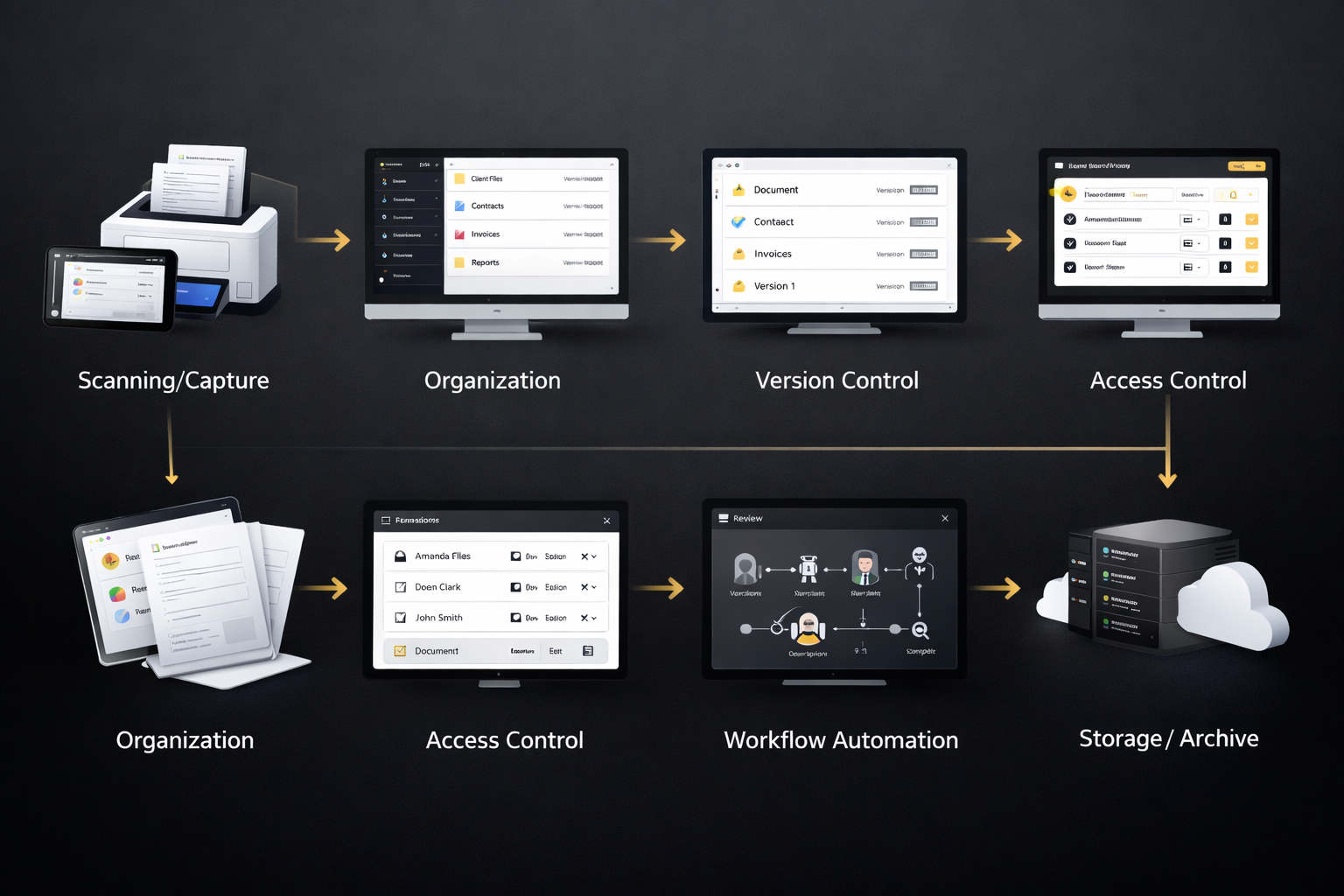
Understanding how a document management system works is important for businesses that handle large volumes of files every day. It helps teams store, organize, find, and share documents without confusion or delays. Instead of relying on manual paperwork or scattered folders, companies can manage everything from one central place, improving efficiency, ensuring consistency, supporting collaboration, reducing operational risks, and enabling faster decision-making across departments while maintaining visibility, standardization, long-term accessibility, and smoother daily document handling across teams.
What is a document management system
A document management system is software that helps businesses capture, store, organize, and track digital documents. It replaces physical filing cabinets and manual processes with a structured digital workflow. Teams can quickly upload files, categorize them, and access them whenever needed.
It also supports collaboration by allowing multiple users to work on the same document while keeping changes tracked. This makes it easier to maintain accuracy, avoid duplicate files, and ensure that everyone is using the latest version of a document.
How documents are captured
The first step in a document management system is capturing documents. Files can be uploaded directly, scanned from paper documents, or imported from emails and other software tools. This ensures that all business information is stored in one centralized location.
Modern systems can automatically recognize text using OCR technology, making scanned documents searchable. This saves time and eliminates the need to manually enter information from paper files into digital systems.
How documents are stored and organized
Once documents are captured, they are stored in a structured way using folders, tags, and metadata. A document management system allows users to categorize files based on department, project, date, or document type.
This organization makes it easier to maintain consistency across teams and prevents documents from getting lost. It also supports document lifecycle management, ensuring files are stored according to company policies and retention rules.
How search and retrieval works
Search functionality is one of the most important parts of a document management system. Users can find files using keywords, filters, tags, or metadata instead of manually browsing folders.
Advanced search features allow teams to locate documents within seconds, even when dealing with thousands of files. This significantly reduces time spent searching and improves daily productivity across departments.
How collaboration and sharing works
A document management system makes collaboration simple by allowing teams to share documents securely. Users can control who can view, edit, or download files, ensuring proper access management.
Version control is another key feature that tracks changes and keeps previous versions available. This prevents confusion, reduces errors, and ensures transparency when multiple people work on the same document.
How security and compliance works
Security is a major component of a document management system. It protects sensitive information using permissions, encryption, and audit trails that track document activity.
Organizations can also follow compliance requirements by setting retention policies and automated workflows. This helps businesses reduce risks, maintain data integrity, and meet regulatory standards more easily.
Benefits of understanding how it works
Understanding how a document management system works helps businesses make better technology decisions and improve internal processes. It allows teams to use the software more effectively and gain maximum value from its features.
- Helps teams use features more efficiently
- Reduces document search time
- Improves collaboration and workflow clarity
- Supports better security practices
- Helps businesses scale document processes
- Reduces errors and duplicate files
Role of document archiving software
document archiving software plays an important role in long-term document storage. It ensures older or inactive documents are preserved safely while remaining accessible when required.
This helps organizations manage storage space, meet compliance requirements, and maintain historical records without cluttering daily workflows.
Conclusion
Knowing how a document management system works gives businesses a clear understanding of how documents move through their organization. From capture to storage, search, collaboration, and security, each step contributes to a more efficient workflow. When teams understand these processes, they can reduce manual work, improve accuracy, strengthen compliance readiness, support digital transformation initiatives, and build scalable document processes that adapt as business needs grow while maintaining control, auditability, process clarity, and sustainable document governance over time.
Frequently Asked Questions (FAQ’s)
What is the main purpose of a document management system
The main purpose is to store, organize, track, and manage digital documents in one central system.
Can a document management system replace paper files
Yes, most businesses use it to digitize paper documents and reduce physical storage.
Is document archiving software the same as a document management system
No, archiving software focuses on long-term storage, while a document management system manages daily document workflows.
How does a document management system improve productivity
It reduces time spent searching for files, improves collaboration, and automates document processes.
Who should use a document management system
Businesses of all sizes, especially teams that handle large numbers of documents, benefit from using it.